
|
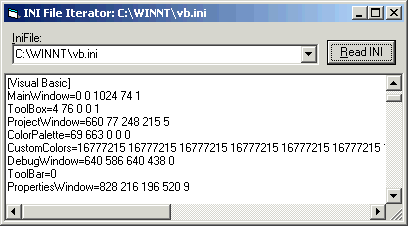
Finally, ten years later, I've made available what I consider to be a fairly useful little drop-in INI file manipulation class. Originally, this kpINI sample was offered in 16-bit form for VB3 on CompuServe's old MSBASIC forum. And there it was one of the most-downloaded samples available. But I never really offered anything comparable for Win32, and I can't totally defend that. I guess I was just never happy myself with having adequately abstracted this most simple of all configuration options. Well, I think this one is now pretty nice.
What I'm offering is a VB5/6/A class module that you can drop right into any project, and begin using immediately. You instantiate it, tell it the name/location of the INI file you want to manipulate, and begin reading and/or writing. For discovery purposes, the class can iterate through entire files and within each section therein, raising events for every element it encounters. You can query specific entries in specific sections, specifying default values as you wish. Values are returned as String by default, but methods are offered to easily reinterpret them as numeric or boolean instead.
nOpt = ini.ToLong(ini.EntryRead("Options", "0", "General"))The class caches the current file and section. This means that if you read/write a number of entries from a single section in succession, you need only specify the section on the first call. Entire sections can be read into a Variant array, even. I often use this to get a list of all the entries in the section, then process each one in turn.
INI file comments are denoted by semi-colons, and automatically stripped from each entry if desired. It would be fairly trivial to add another method to the class which would accept alternate comment characters, if for some reason the semi-colon wasn't appropriate.
This sample, or the one from which it originally derived, was published (or at least peripherally mentioned) in the following article(s):
- Got One Right!, Classic VB Corner, VSM Online, December 2008
- Lemme Tell Ya Where To Stick It, Classic VB Corner, VSM Online, January 2009
This sample uses the following API calls:
Module Library Function CIniFile.cls kernel32 GetPrivateProfileSection
GetPrivateProfileSectionNames
GetPrivateProfileString
WritePrivateProfileStringINIEDIT.FRM user SendMessage INIFILE.BAS kernel
userGetPrivateProfileInt
GetPrivateProfileString
GetProfileInt
GetProfileString
GetWindowsDirectory
WritePrivateProfileString
WriteProfileString
SendMessageDon't see what you're looking for? Here's a complete API cross-reference.

Please, enjoy and learn from this sample. Include its code within your own projects, if you wish. But, in order to insure only the most recent code is available to all, I ask that you don't share the sample by any form of mass distribution. Download kpIni.zip, 17Kb, Last Updated: Thursday, May 12, 2005
The following resources may also be of interest:
- SysFolders - Locate all the special system folders with a simple drop-in ready class module.

|
Make a donation
today, to support maintaining this library of Classic VB Code code and articles. |

|
Copyright ©1995-2024,
Karl E. Peterson, All Rights Reserved Worldwide.
Nothing on this web site may be reproduced, in any form,
without express written permission.
